The talker screen at a glance
A quick tour of what is on the talker screen, from top to bottom.
- 1
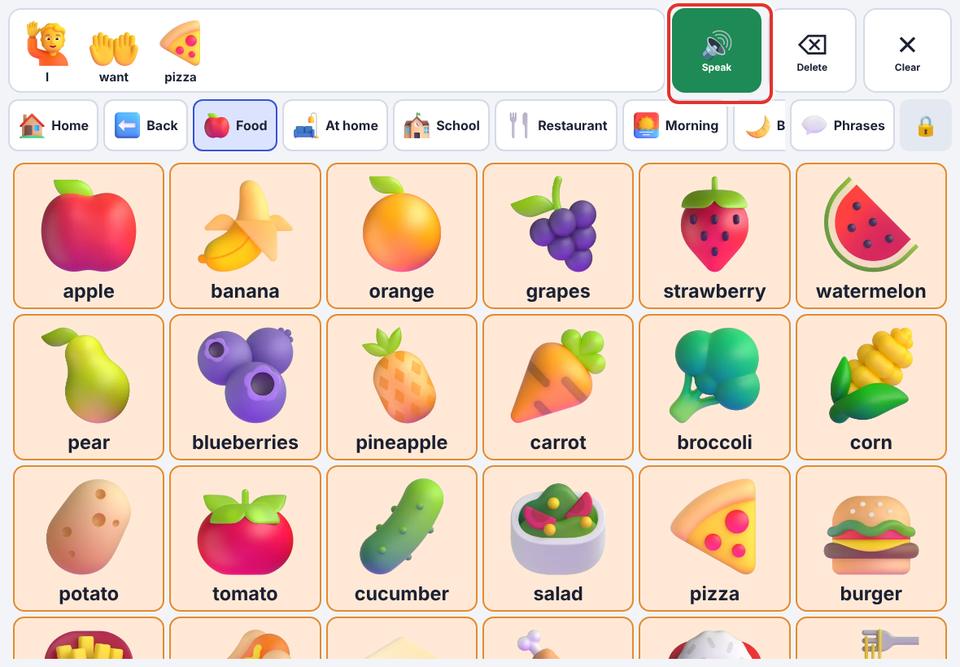
Message bar (top): the pictures and words chosen so far. Tap it, or Speak, to say the message. Tap one word to say just that word.
- 2
Delete removes the last word. Clear empties the message; it then turns into Undo in case it was an accident.
- 3
Navigation row: Home goes back to the main board, Back goes up one level. The strip next to them holds your place and routine boards (School, Restaurant…). 💬 Phrases opens quick phrases. 🔒 opens the parent area.
- 4
The board: the buttons. Buttons with a dark corner are folders: they open another board (Food, Feelings…) instead of saying a word.
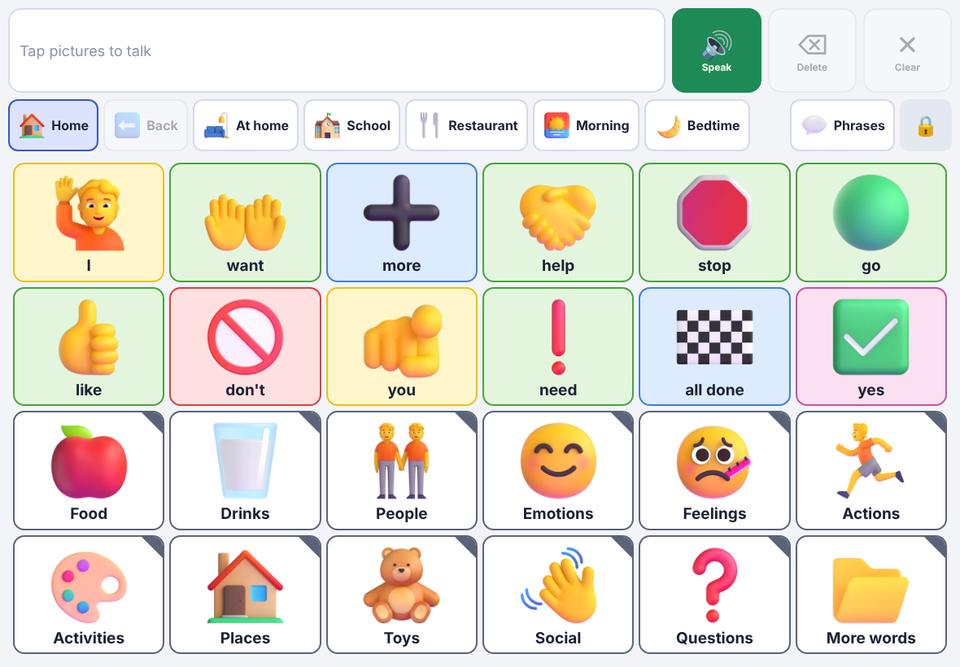
Colours show the kind of word: yellow for people, green for actions, orange for things, blue for describing words, pink for social words, purple for questions. You can turn colours off in Settings.