Quick phrases
Whole sentences your child can say with one tap, like “I need help”.
- 1
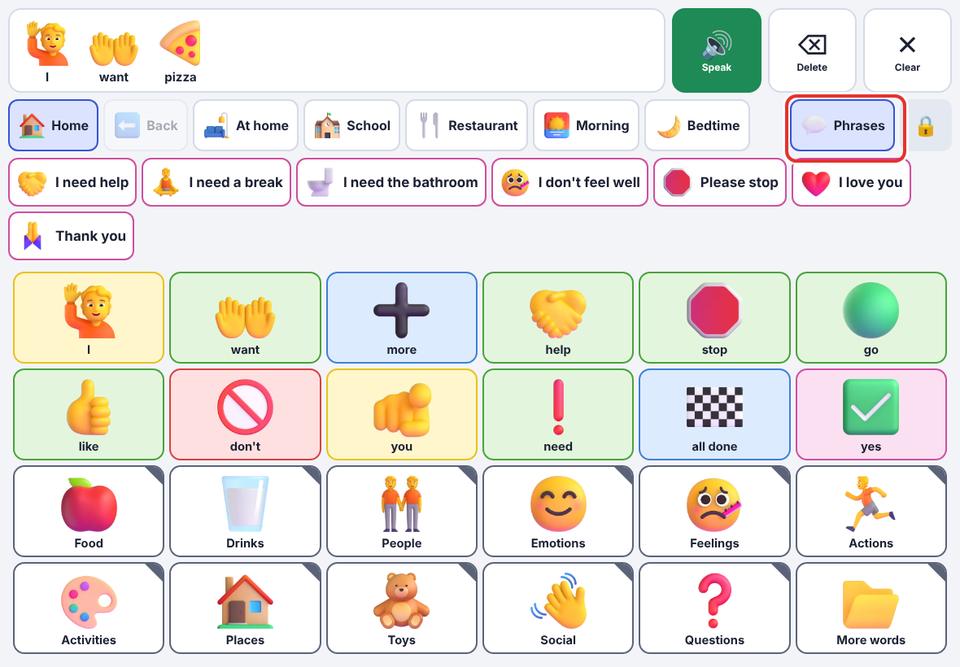
In the talker, tap the 💬 Phrases button in the top row.
- 2
Tap a phrase. It is said straight away and appears in the message bar.
- 3
The panel also lists the last few messages your child said, so they can say them again.
- 4
To add your own phrases, open the parent area → Quick phrases.
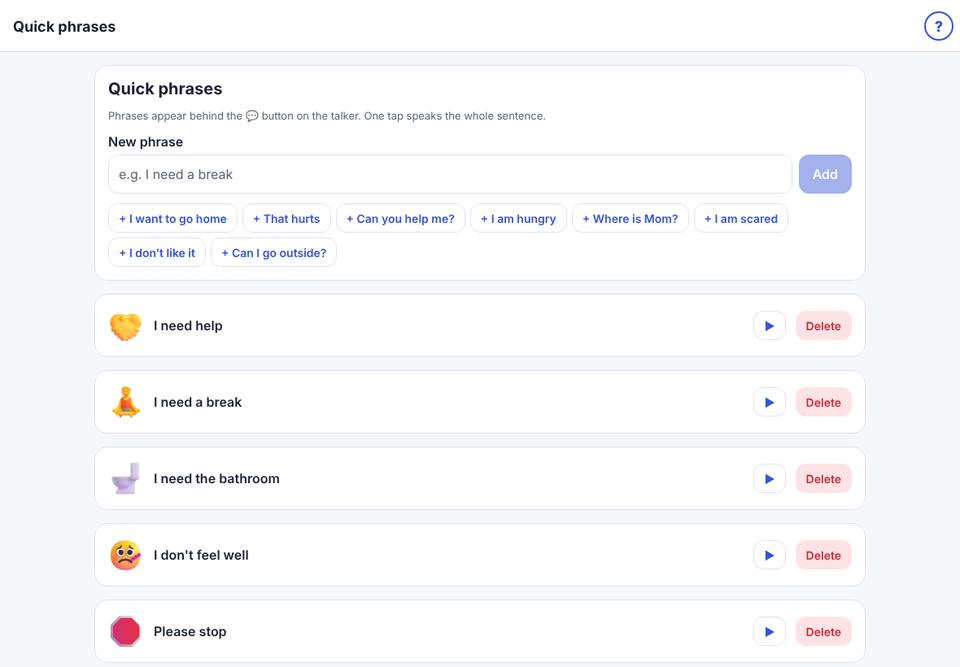
Every new child starts with phrases for urgent needs: I need help, I need a break, I need the bathroom, I don’t feel well, Please stop, I love you, Thank you.