AI and privacy
What the AI sees, and how to turn it off.
- 1
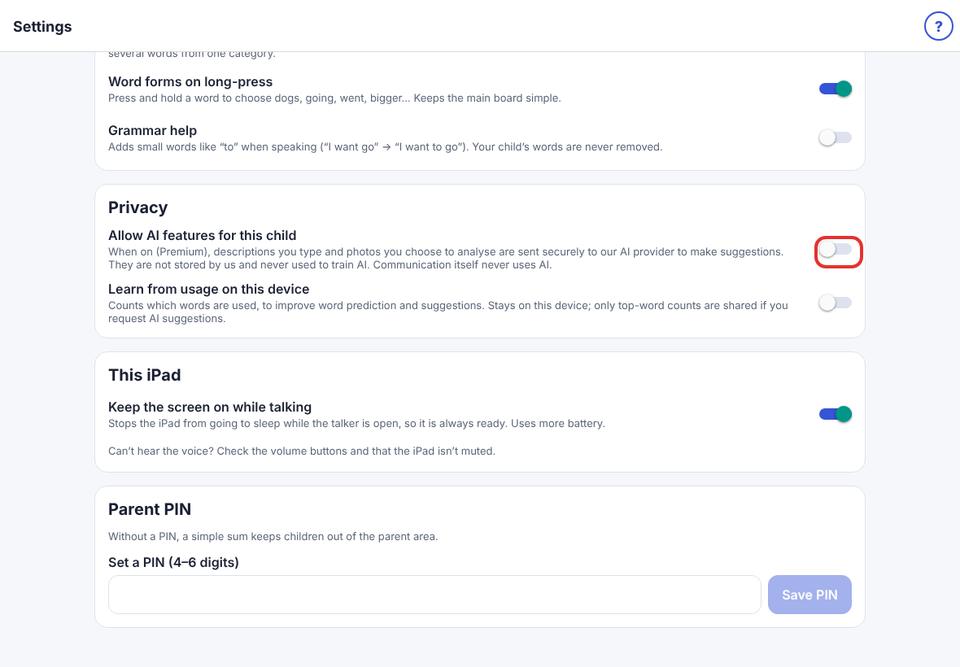
AI is off until you turn it on for each child.
- 2
Only what you ask about is sent: your request, the photo you chose, and your child’s age range and interests. What your child says is never sent.
- 3
To turn it off: Parent area → Speech & display → Privacy → turn off Allow AI features for this child.