Create a board by describing it
Describe a place or situation in your own words; the assistant suggests buttons for you to review.
- 1
Parent area → AI assistant → Create a board.
- 2
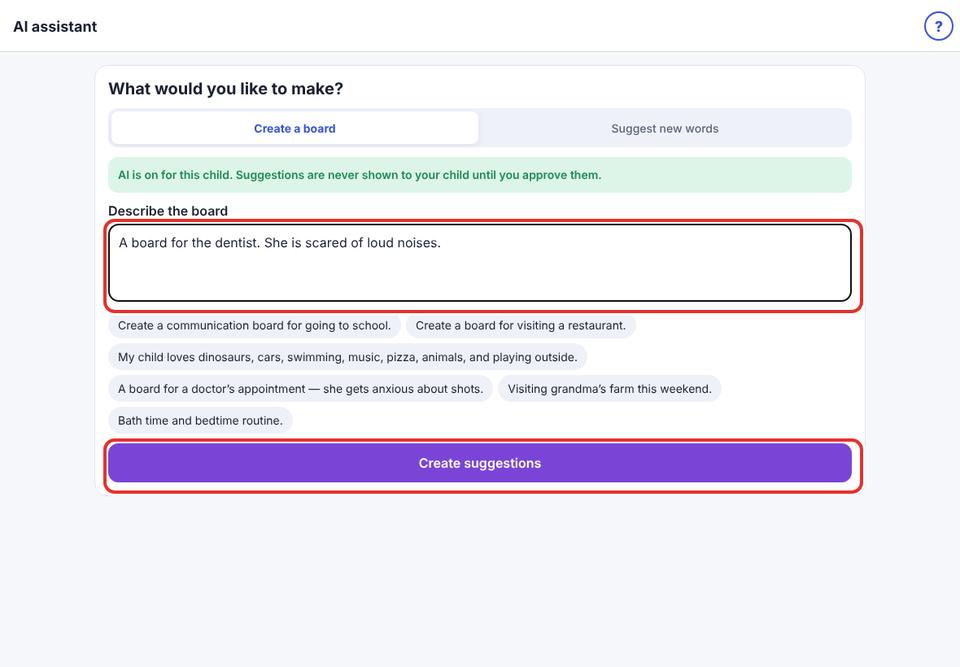
Describe what you need, for example “A board for the dentist. She is scared of loud noises.” Or tap an example.
- 3
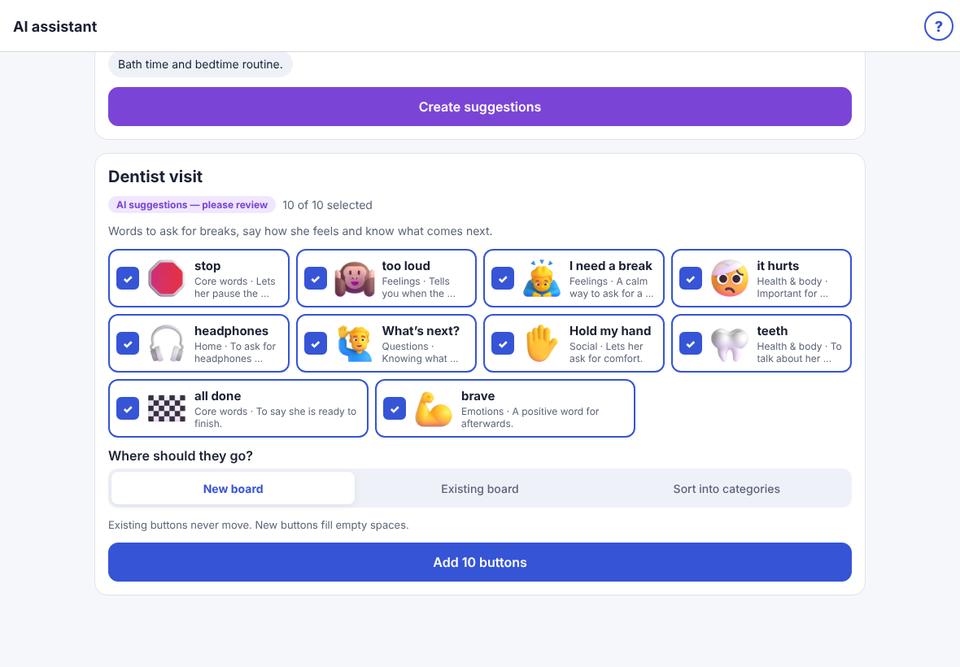
Tap Create suggestions. After a few seconds, suggestions appear with pictures and a reason for each.
- 4
Review: untick anything you don’t want, and tap a word to rename it.
- 5
Choose New board, Existing board (adds to empty spaces; existing buttons never move) or Sort into categories, then tap Add … buttons.