Your whole caseload on one iPad
Keep every child you work with on one iPad, each with their own boards, photos, voice and settings, and start a session in two taps.
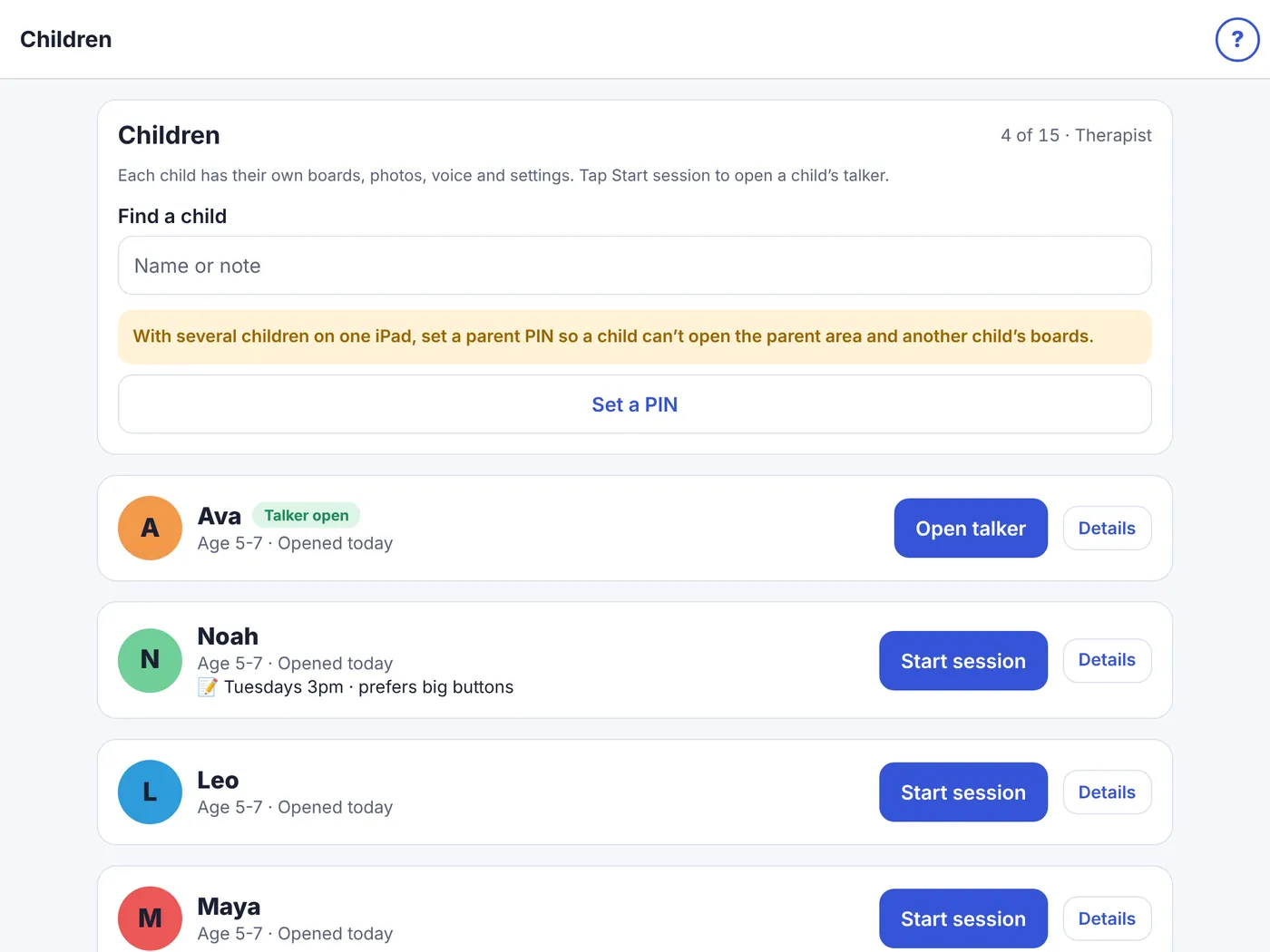
From caseload to talking in two taps
Add each child once
A three-minute setup builds a talker from their age, reading level and interests. Every child’s vocabulary is kept separate.
Start the session
Open Children and tap Start session. The child’s name shows on the talker, so you always know whose boards are open.
Model and teach
Model core words while you talk. Find a word shows the taps to any word, and Insights (optional, on the iPad) suggests words to practise next.
Keep home and school in step
Share a board as a file with the family or school. A direct link with each family is coming next, and your changes will reach their iPad only after the family accepts them.
Built around motor planning, access and real life
Stable motor planning
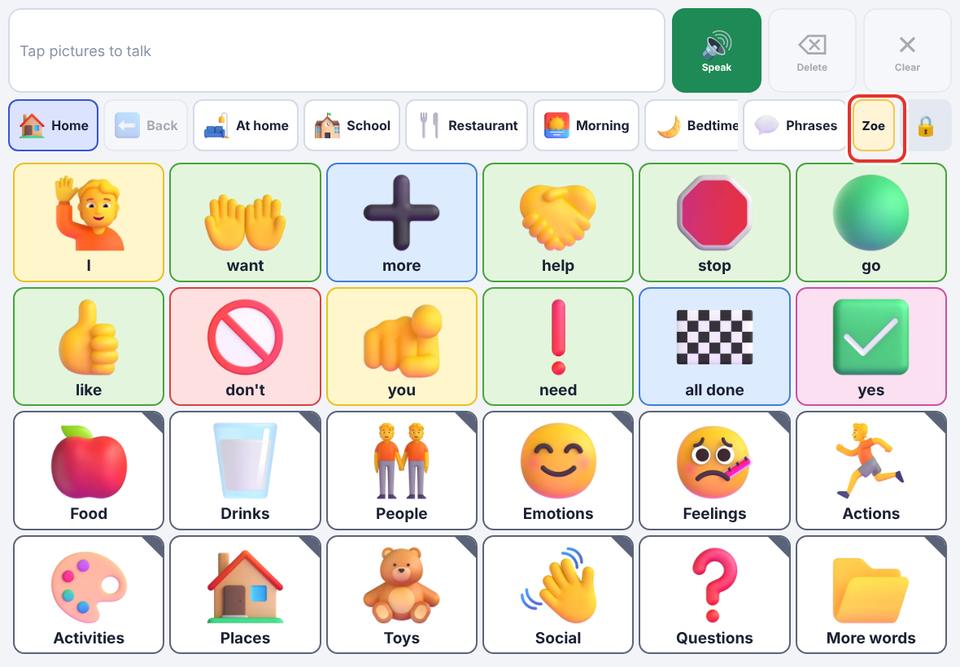
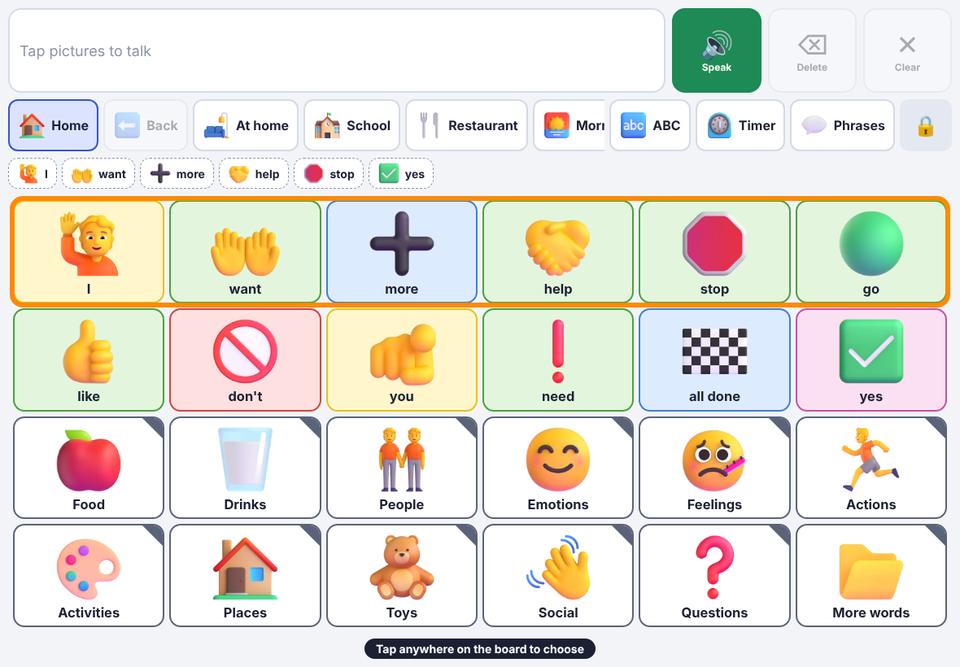
Buttons stay where you put them. AI suggestions and new words fill empty spaces; nothing moves unless you move it.

Core words and folders
Core vocabulary on the main board, colour-coded by word type, with an optional core row on every board.
Routines and visual supports
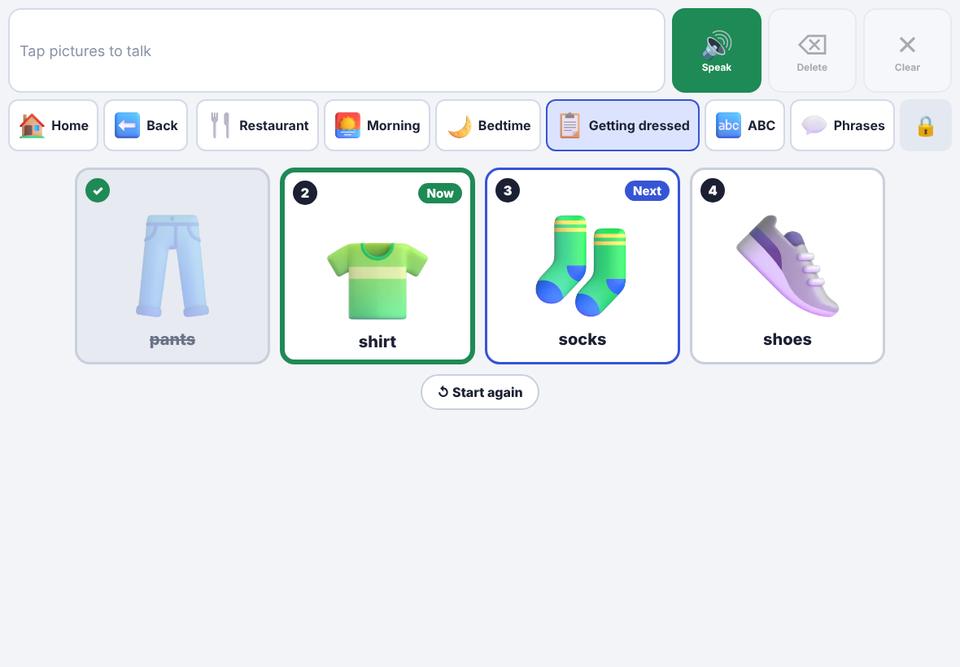
Step-by-step schedules, choice boards, a visual timer and photo scenes with tappable areas.

Access options
Switch scanning (one or two switches, spoken option), hold-to-select, repeat-tap filtering and VoiceOver labels.

Language growth
Hold a word for its forms (wanted, dogs), optional prediction and grammar help, and a spelling keyboard.

AI board assistant
Describe a situation (“a dentist visit, scared of loud noises”) and review suggested buttons before anything reaches the child.

Children’s data, handled carefully
- Each child’s boards, photos and notes are kept separate.
- Everything is stored on the iPad. Cloud sync is optional and encrypted.
- A parent PIN keeps children out of settings and other children’s boards.
- AI is off until an adult allows it for each child. What a child says is never sent.
- No ads and no tracking. Usage insights are opt-in and stay on the iPad.
- Deleting a child removes everything about them from the iPad and the next sync.
Tip: use first names or nicknames, and keep clinical details out of notes. KuyilVoice is a communication tool, not a clinical record system.

Schools and clinics
Several therapists, up to 100 children. Tell us how many therapists and children you have, and we’ll send a quote.
Questions from professionals
Can I use my plan on more than one iPad?
Yes. Sign in with the same account on each iPad and turn on sync. Your caseload and every child’s boards stay the same on all of them.
Can a family use KuyilVoice on their own iPad?
Yes. Families install KuyilVoice and start with a 7-day free trial. You can share boards with them as a file today; a direct link, with the family’s approval for every change, is coming next.
What happens to a child’s talker if I stop paying?
It keeps working, with every board and photo. Only adding and changing words, boards and photos, the AI assistant and sync need a plan.
Does it work without internet?
Yes. Talking, boards, pictures, settings and the built-in voices all work offline. Only the AI assistant and sync need a connection.
Which languages are supported?
Starter vocabularies in English and Spanish, and the voice can speak 13 languages. You can relabel any button.